PRE-LAUNCH DAY
01Pre-launch opens
Warm your audience. Introduce the conversation.
CueVue adds a lifelike LiveRep™ to an existing website. It listens, answers from approved business knowledge, and helps each visitor enquire, book or choose a useful next step while they are still on the page.
“What happens when someone wants to book?”
Use caseWaiting for intent…·
PreferenceWaiting for preference…·
Next stepWaiting for next step…·
From the first warm-up to the final deadline. All campaign times are Eastern Daylight Time.
Warm your audience. Introduce the conversation.
The first opportunity to sell CueVue.
The webinar encore presentation.
All Access Bundle launch pages go live.
Final launch-offer deadline.
Get launch access, affiliate information and promotional updates.
Registration is handled by AWeber. Check your inbox to confirm.Already a partner? Get your JV link ↗Ask about a service, product or appointment. Speak or type, then watch the conversation record update beside the presenter.
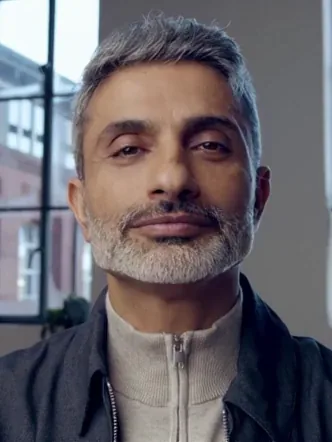
Start a video conversation, or type below.
Allow microphone access when asked. Prefer typing? No microphone needed.Not sure what to ask?
Then share a sample name and email to see the record update.
Use sample details in your conversation. CueVue picks them up here for you to review.
Review-only demo record. This does not submit the details to a business. Need a correction? Tell the agent.
Real presenters. Your questions.
Live availability depends on the demo service. Use sample contact details.
From a roofing enquiry to a new student’s first lesson. Watch different LiveReps™ ask, listen and turn the conversation into a useful next step.
 Local services
“Can you repair my roof this week?”
Understanding the question…
Illustrative conversations with sample details and presenter footage. No live submission, purchase or booking.
Start with nine featured presenters and the business job each could introduce. Then explore nine more supplied creative portraits.

Different ages, appearances and on-camera personalities—shown as supplied portrait examples.









Creative portrait examples. Stock and custom-avatar availability depends on the offer tier.
A horizontal walkthrough built from actual CueVue application screens. Choose any step or let the flow play.
Add the website, documents and FAQs the LiveRep™ should use.
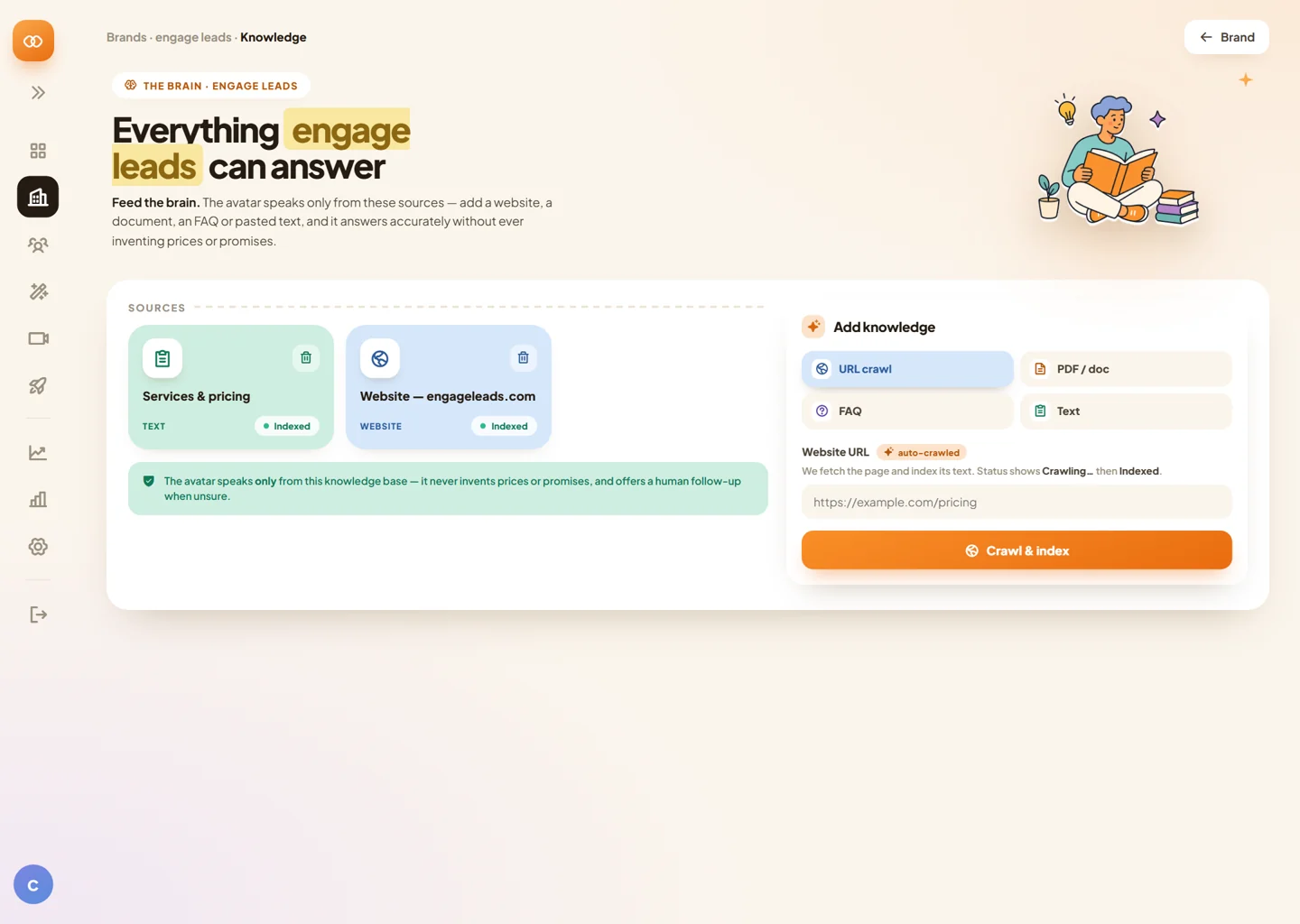
Actual application-overview screens with animated explanatory labels. The walkthrough does not change settings or publish a LiveRep™.
The visitor talks with Gabriel, chooses a preferred time, adds their details, and reaches a complete confirmation screen.
“I’d like a cleaning on Sunday morning.”
I can help with that. Is Sunday morning your preference?
Yes—around 10:00 AM, if possible.
Illustrative workflow using sample details and generated presenter footage. It does not reserve a real calendar slot or send a booking.
Add five custom avatars at checkout. Give each business, brand or campaign a presence of its own.
See the complete funnel ↓AVATAR 01SCAN → READYAVATAR 02SCAN → READY AVATAR 03SCAN → READY
 AVATAR 04SCAN → READY
 AVATAR 05SCAN → READY
Scan-style presentation only. These supplied portraits are creative examples and are not the buyer’s generated custom avatars. The bump includes five custom avatars as stated on the current partner page.
A website that listens. A lifelike rep that answers.
A product your audience can experience before they buy.
Open with the conversation. Show the context it captures. Then show how the buyer makes it their own.
Local services“Can you repair my roof this week?”
Understanding the question…
Illustrative conversations with sample details and presenter footage. No live submission, purchase or booking.
Start with the full walkthrough. Then watch CueVue handle a local-service enquiry or help an online shopper choose.
Follow the complete walkthrough before choosing the best demonstration for your audience.
See how the LiveRep™ handles project questions and gathers context about the work a visitor needs.
See a product conversation explore the shopper’s needs, explain options and answer questions before purchase.
A visitor asks. The website answers.
Business knowledge becomes an editable representative.
A lead, an appointment journey or a useful follow-up.
A business owner buys the outcome. An agency sees a service. A marketer sees a hook that is easy to demonstrate.
Your next client already has a website. Show them what happens when it can answer back.
Build a niche demo before the pitch. Offer setup, knowledge updates and ongoing reviews.
Personal presence. A familiar language. A service for each client. Give partners something concrete to show.
PORTRAIT PREVIEWONE CONVERSATION.Hello. How can I help?○ Conversation in progress
The partner demo introduces setup as “one URL, about three minutes.” Use it to show the workflow; actual setup time depends on the business and configuration.
Website information, documents and editable FAQs give the representative a useful source of answers.
Explore the full software walkthrough ↗Photoreal presence with two-way conversation, follow-ups and interruptions.
Business information the buyer can review and approve.
Sales, booking, support, qualification, onboarding and more.
Sales pages, pricing, checkout, post-webinar, email, QR and client sites.
Useful details collected during the conversation.
Recordings, transcripts, scoring, verdicts and next actions.
70+ languages, automatic detection and translated captions in the published launch offer.
Separate clients, data, representatives, credits and reporting.
A memorable first click is only the start. Partners need a clear story, a relevant audience and a campaign they can actually execute.
Lead with the live experience. Your subscribers can ask their own question before they decide.
Try the demo ↗Lead capture for local businesses, product guidance for stores, onboarding for SaaS and client services for agencies.
Choose your audience ↗The published offer includes client workspaces; the Mega Bundle adds the Agency Launch Kit. Show what the buyer can deliver.
Explore the inclusions ↗50% commissions and a $6,000+ published prize pool give partners a clear campaign incentive. Final contest rules still apply.
See the contest ↗All Access starts at $147, with a custom-avatar bump, Mega upgrade and Lite downsell. Explain each stage clearly.
Review the funnel ↗Official email swipes are available, campaign dates are published, and the team can help with review access and strategy.
Open partner resources ↗These are reasons to evaluate the launch—not promises of conversion rates, affiliate earnings or client results.
The existing partner page cites these results from other conversational-AI platforms. They are not CueVue results, benchmarks or endorsements.
CueVue is not affiliated with these companies. Individual results vary. Verify the underlying case studies before reusing these numbers in promotional copy.
View the original partner-page context ↗Lead with All Access. Offer custom avatars at checkout, then introduce the Mega Bundle. Prices below are the published partner launch offers.
Published component value: $455. All Access starts at $147, one time, with commercial and agency capabilities and no subscription.
50% commissions alongside the published $6,000+ prize pool.
Hit early. Get rewarded early.
Start/end times and qualifying-sale rules coming soon.Keep mailing. Keep climbing.
Prize positions, team eligibility and qualification rules coming soon.Exact contest dates, qualifying sales and prize positions will be published when confirmed.
Get launch updatesThe official email swipes are live. Get on the partner list for the rest of the campaign materials as they become available.
Launch, demo, reminder and last-call emails.
Open the swipe library ↗The central campaign reference.
Open the JV document ↗Short posts, hooks and conversation starters.
Banners, story assets and product visuals.
Downloadable videos and clips for promotions.
Need review access or want to talk promotion strategy? Reach out to the CueVue team.




Use “Get your JV link” to open the CueVue affiliate information page on JVZoo. Review the approval requirements and use your own approved affiliate link in promotions.
The current partner page leads with All Access from $147. The $77 custom-avatar bump, $297 Mega Bundle and $147 Mega Bundle Lite are separate stages of the funnel.
The launch calendar and prize pools are published on the source JV page. Contest qualification rules, prize positions and exact phase dates are still marked as coming soon.
The original full demo and niche videos are available to watch here. The downloadable demo-asset library is still being prepared; contact the team about approved promotional use.
The animated use cases explain the workflow. “Try a real conversation” starts the native interactive demo when you choose. Illustrations do not reserve appointments, create avatars or submit leads.
Check the final campaign document and JVZoo terms for commissions, product allowances, bonuses and contest rules. The source page has stock-avatar and masterclass details that need clarification; those are noted in the funnel above.
50% commissions · All Access from $147 · $6,000+ published prize pool